The short answer
“Free” covers different things in each tool. Obsidian is free for any use and keeps notes as local Markdown files; sync and web publishing are paid. Yazar.io’s free plan covers 2 books and 15 editable records per entity type; Glossary, Timeline, Notes and Quotes are unlimited, with a read-only wiki, family tree, timeline and Markdown or JSON export. The manuscript stays in Word or Google Docs. World Anvil’s free tier, as archived in August 2026, offered a small allowance of public articles and maps. Notion’s free plan is unlimited for one person but limited once others join. Azgaar’s Fantasy Map Generator makes maps at no cost, and a document or spreadsheet is the baseline with no lock-in. Test export and backups before relying on any of them. This shortlist is based on official documentation, not hands-on testing.
Free worldbuilding software is easy to find. Knowing what “free” covers is harder. In one tool it means the whole program, with paid extras for syncing. In another it means a small allowance of articles in a world anyone can read. The useful question is which part of your world will hit the limit first.
This shortlist is organized by need, not ranked. It is based on each product’s official pages, checked on 11 October 2026, not on hands-on testing; World Anvil’s entry relies on an archived copy of its pricing page. Prices are left out, so check current terms before you move a whole world.
Local files you control: Obsidian#
Obsidian’s license page says it is free for all purposes, including personal and commercial use, with no account needed (license). Notes are Markdown plain-text files in a vault, a folder on your own computer, so other editors can open them (storage), and the homepage says they stay accessible offline (Obsidian).
You pay for services around the files. Sync adds syncing across devices, end-to-end encryption, version history and shared vaults; Publish puts notes on the web (pricing). On the free version, sharing with a co-writer or readers is something you arrange yourself. The other cost is structure: there are no ready-made sections, so you design the folders and templates. The small Obsidian notebook is one place to start.
A novel’s connected reference: Yazar.io#
Yazar.io’s free plan is described as free forever and asks for no payment information (features). For a novelist it is one of the more complete free plans here, because the features that make it useful are not held back for paying users. Each book gets 15 editable records per entity type (characters, locations, organizations, lore and world rules, races, creatures, items, spells and religions), up to 20 custom fields per record, and Glossary, Timeline, Notes and Quotes are unlimited. The account holds 2 books and 50 MB of images, and the publishable wiki, family tree and book export are included (plans).
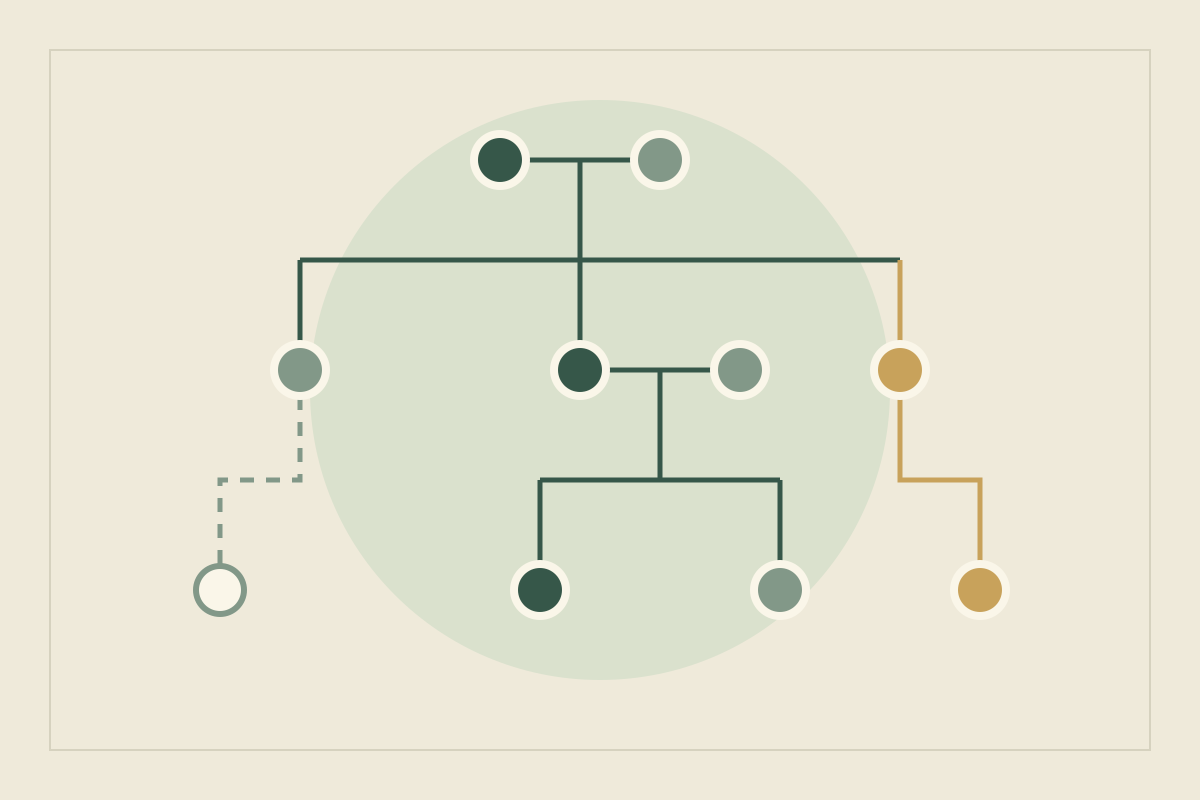
Type a character’s name in another entry and it links itself; every page has a backlink panel showing who mentions it. The family tree is drag-and-drop, and linked spouses and parents appear in it. Your manuscript stays in Word or Google Docs, and Yazar.io does not generate text (features). A book can become a read-only wiki, free on both plans, with sections switched on or off. You can add a password (who can see the wiki). Notes are never included. The Timeline can be published and is off by default (updates, wiki). Export downloads the whole book as Markdown or JSON, and the Markdown .zip is compatible with Obsidian and Notion (updates). Yazar.io stores entity descriptions, notes and custom field values encrypted with AES-256-GCM (privacy).
The limits are just as plain. Two books and 15 records per entity type suit a standalone novel or the start of a series; a large cast will outgrow them. The manuscript stays in Word or Google Docs, places are linked records rather than a map, and one account keeps the records. Creating or editing records needs a connection, although the mobile apps keep showing books you have already opened during a short outage (offline FAQ).
A world others can browse: World Anvil#
As archived on 1 August 2026, World Anvil’s pricing page listed a free tier, Freeman, with 2 worlds, 42 articles of which 5 could be drafts, 2 maps with 10 markers, 2 timelines and world data exporting, plus 100 MB of storage and a 1 MB upload limit (3.5 MB for maps). You upload the map as a JPG or PNG and pin articles to it (archived pricing).
The same table placed private worlds and articles, co-authors, manuscripts and family trees on paid tiers only. Treat free-tier writing as potentially public and keep plot secrets elsewhere. Terms may have changed since August, so read the current pricing page first.
Your own databases: Notion#
Notion pitches its free plan “for individuals to organize personal projects and life”, and that wording matters. Pages and blocks are unlimited for one person but “limited for 2+ members”; when a shared workspace hits the limit, you can edit existing content but not add new blocks. Databases with custom properties are included, so a characters table is quick to build. Uploads cap at 5 MB per file, page history keeps 7 days, and offline access covers pages you choose to download (pricing). Its help center describes exporting pages as Markdown and CSV or as HTML (export).
A map: Azgaar’s Fantasy Map Generator#
None of the note tools above draws maps. Azgaar’s Fantasy Map Generator is a free web application for creating and editing fantasy maps (repository), released under the MIT license (license). Its Q&A says you own the maps you make and may sell them, and that the desktop app for Windows, macOS and Linux works offline.
Saving needs care. You can save a .map file to your computer, to Dropbox, or to browser storage, which the project warns can be cleared by accident. Exports include SVG, PNG, JPEG, GeoJSON and JSON. The project also calls version conflicts “inevitable”: a map saved by a newer version needs that version to open (Q&A). Start from a journey that matters to the plot.
A premise that still changes: a document or spreadsheet#
The baseline costs nothing beyond software you probably have. A document with a heading per entry, plus a spreadsheet with one row per character, carries more of a first novel than you might expect. The file is yours, works offline when stored locally, and leaving means copying it. What you lose is connection: every link, date and family relationship is kept by hand, and copied facts drift apart.
Test the free versions with one small world#
Give every candidate the same invented world. The island of Corrow has two lighthouse families. Maren Aske keeps the north light above Low Tannet harbor; Jory Vell captains the supply boat. They married the winter the north light went dark, and nobody agrees who put it out. You also want a rough map of three islands.
- Enter it. Two characters, one place, one event, one marriage and one open question about the dark light. In Yazar.io, the marriage also lands in the family tree.
- Retrieve it. Starting from Maren, find everything that mentions her without searching twice.
- Show it. Share Low Tannet with a reader while keeping the question secret. On Yazar.io’s wiki, a note stays private; on World Anvil’s free tier, check whether anything can be private at all.
- Map it. Generate the islands, save the .map file to disk and export a PNG. World Anvil pins articles to an uploaded image, and a Yazar.io location can carry several images (updates).
- Leave it. Export everything and open the copy outside the tool. If the marriage and the dark winter still make sense, the exit works.
- Count it. Estimate how many characters and places the finished book needs, and compare that with each limit.
Compare the free versions by need#
| Your need | Free option | What the free version covers | Where it stops |
|---|---|---|---|
| Local files you control, offline | Obsidian | The full app for any use; Markdown files in a folder | Sync, Publish and shared vaults are paid |
| A novel’s connected reference | Yazar.io | 2 books, 15 editable records per entity type; Glossary, Timeline, Notes and Quotes are unlimited, wiki, family tree, timeline, export | Manuscript stays in Word or Google Docs; 15 editable records per entity type |
| A world readers can browse | World Anvil | 2 worlds, 42 articles, 2 maps (archived) | Private articles, co-authors and family trees were paid |
| Databases on every device | Notion | Unlimited pages for one person | Block limit with 2+ members; 5 MB files; 7-day history |
| A map | Azgaar’s Fantasy Map Generator | The whole generator, MIT licensed, offline desktop app | Maps only; files tied to the saving version |
| An idea that changes weekly | Document or spreadsheet | Everything, as a file you own | Links and timelines kept by hand |
Common mistakes with free tools#
- Assuming you can leave. Lock-in rarely shows on day one. Export the Corrow sample in your first week, not when a plan changes.
- Treating sync or browser storage as a backup. Obsidian’s backup guide says syncing “doesn’t protect against data loss” and recommends a dedicated one-way backup tool. Azgaar’s browser storage can be cleared. Keep a copy you have actually reopened.
- Finding the limit mid-draft. Fifteen records per entity type or 42 articles sounds generous until a siege adds thirty named soldiers. Count before you commit, and give each fact one home in a story bible.
- Publishing secrets by default. If a free tier has no private articles, your twist is one click away.
- Scattering one world across five apps. A map in one tool and characters in another is fine once you decide which holds canon.
When paying makes sense#
Pay when a limit blocks work you repeat every week, not in case it might.
- Your series outgrows the allowance. Yazar Pro removes the book and record limits and raises custom fields, record length and image storage. If you later stop paying, nothing is deleted: records beyond the first 15 per entity type stay viewable and exportable, read-only (plans).
- You write on several devices and want version history. That is what Obsidian Sync sells; keep a separate backup either way.
- Someone else needs to edit. Notion’s paid plans list unlimited collaborative blocks, and World Anvil’s archived page put co-authors on paid tiers. Yazar.io keeps one account on the records, so paying does not add a co-writer.
- A public wiki needs private corners. World Anvil’s archived page listed private articles as paid; Yazar.io’s free wiki never includes notes, the Timeline is off unless you publish it, and you can add a password.
For tools beyond this list, including Campfire, see the wider tool shortlist. For two of these side by side, read Obsidian vs World Anvil.
Update, 21 October 2026: Reframed Yazar.io’s free plan around the manuscript staying in Word or Google Docs, corrected the wiki (you can add a password; notes stay out; the Timeline can be published and is off by default).
Sources
- Obsidian: License overview · October 11, 2026
- Obsidian: Pricing · October 11, 2026
- Obsidian: Homepage · October 11, 2026
- Obsidian: How Obsidian stores data · October 11, 2026
- Obsidian: Back up your Obsidian files · October 11, 2026
- Yazar.io: Features · October 21, 2026
- Yazar.io: Plans and limits · October 21, 2026
- Yazar.io: Shareable wiki · October 21, 2026
- Yazar.io: Product updates · October 21, 2026
- World Anvil: Pricing (Wayback Machine snapshot of 1 August 2026) · October 11, 2026
- Notion: Pricing · October 11, 2026
- Notion: Export your content · October 11, 2026
- Azgaar’s Fantasy Map Generator: Repository and README · October 11, 2026
- Azgaar’s Fantasy Map Generator: License · October 11, 2026
- Azgaar’s Fantasy Map Generator: Q&A · October 11, 2026
- Yazar.io: Shareable wiki software · October 11, 2026
- Yazar.io: Can I use yazar.io without an internet connection? · October 11, 2026
- Yazar.io: Privacy policy · October 21, 2026
- Yazar.io: Who can see my Shareable Wiki? · October 21, 2026